
Retouch
AI Face Enhancement
The small lift that changes how a face lands
New accounts start with free credits — no card on file needed.
- 1Upload a photo where a face is visible
- 2The AI sharpens eyes, refines lighting, and lifts facial detail
- 3Compare, confirm it reads right, and download
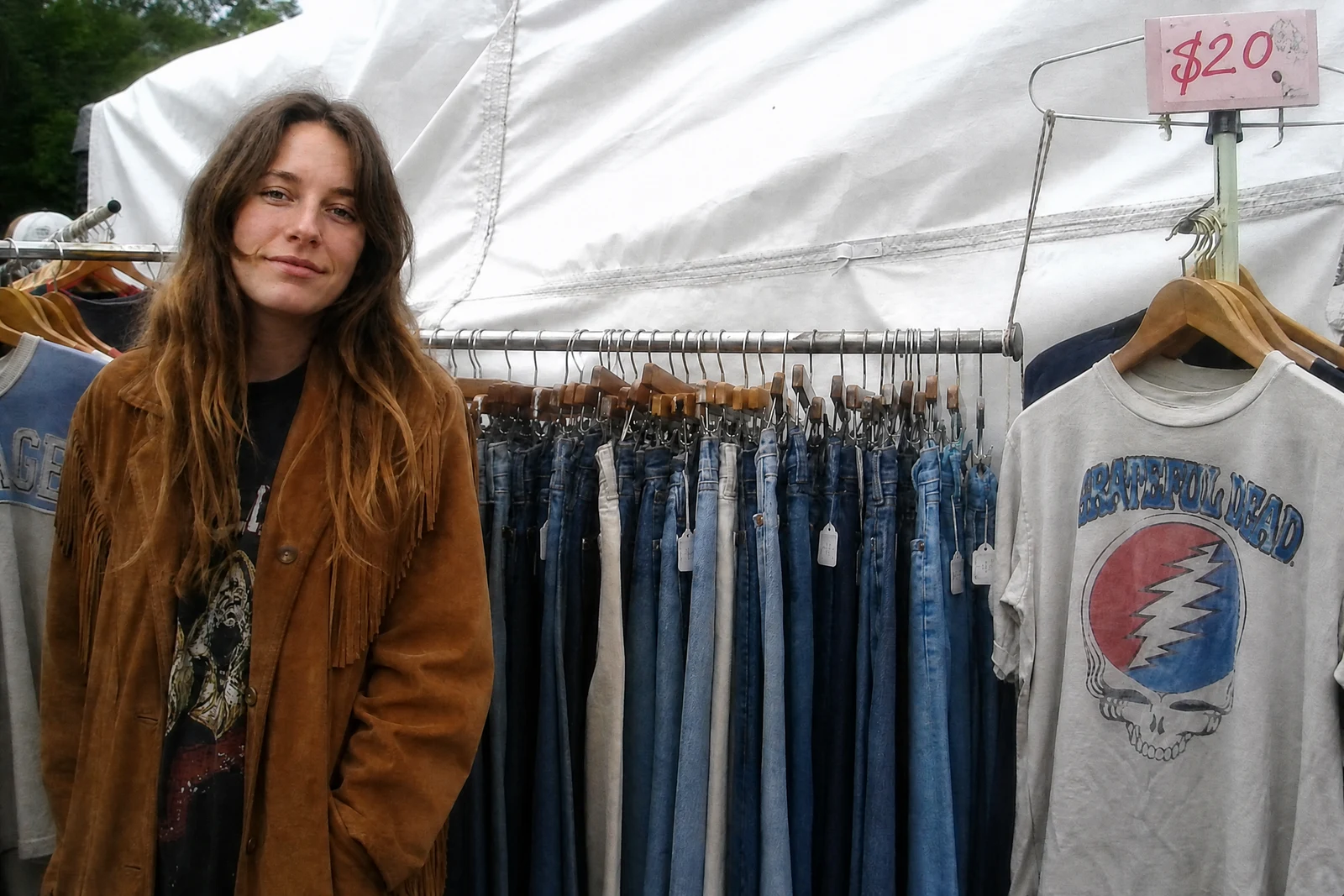
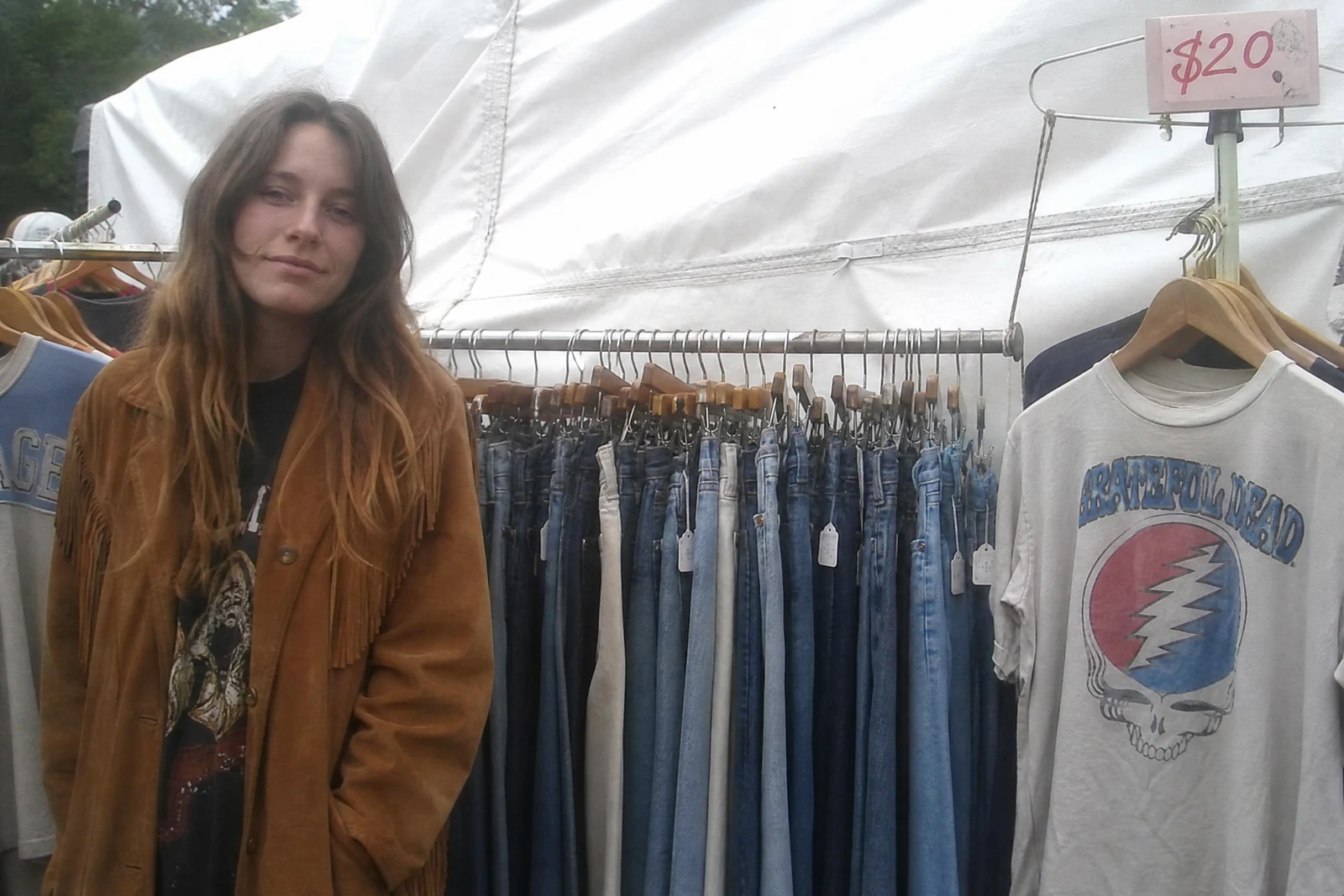
Genuine results from the tool — slide to see the difference.
On a profile — dating, hiring, speaking, selling — your face photo is the first filter people apply, and the gap between 'fine' and 'compelling' lives in details most cameras miss: eyes that catch light, evenly lit skin, a face a touch crisper than its surroundings. Portrait retouchers dodge, burn, and sharpen selectively to get there; this pass applies those micro-adjustments automatically.
Upload any photo with a face and the AI brightens and sharpens the eyes, refines how light sits on the skin, recovers detail lost to compression or a slight focus miss, and lifts local contrast where it flatters. It works on light, sharpness, and detail — not geometry — so give the result a look and confirm it still reads as you on a good day.
It earns its keep on video-call screenshots pressed into service as headshots, slightly soft candids, group shots where faces sit small in frame, and any photo about to represent you somewhere that matters. Skin problems like blemishes and shine are Retouch Face's territory; glasses glare and closed eyes have their own dedicated fixes.
Why this tool
- Push the output onward through any other tool
- Standard, Pro and Max quality tiers
- Results land in your creations library
- Blow it up to print resolution or convert it to video
Frequently asked questions
What exactly gets adjusted?
Light, sharpness, and detail — not feature geometry. Review the output to confirm your features look right; deliberate expression changes live in the Expression Changer.
How does it differ from Retouch Face?
Retouch clears skin problems: blemishes, redness, shine. Enhancement improves rendering: eye clarity, lighting, detail. Rough skin in good light wants Retouch; clean-but-flat wants this.
Can it help small or slightly soft faces?
Yes, that is one of its main jobs. For genuinely blurred faces, run Unblur Image first, then enhance the result.
Group photos?
All detected faces get the same lift — handy for team pages and event photos where everyone deserves the treatment.
Can I try AI Face Enhancement for free?
Yes — every new account starts with 4 free credits, enough to run this tool once at Standard quality. No credit card required.
Related tools