
Text & Objects
AI Change Text
New words, same sign — update instead of reshoot
New accounts start with free credits — no card on file needed.
- 1Add the picture and enter the current wording character-for-character
- 2Enter the replacement wording
- 3The AI re-renders it in matching style — verify and download
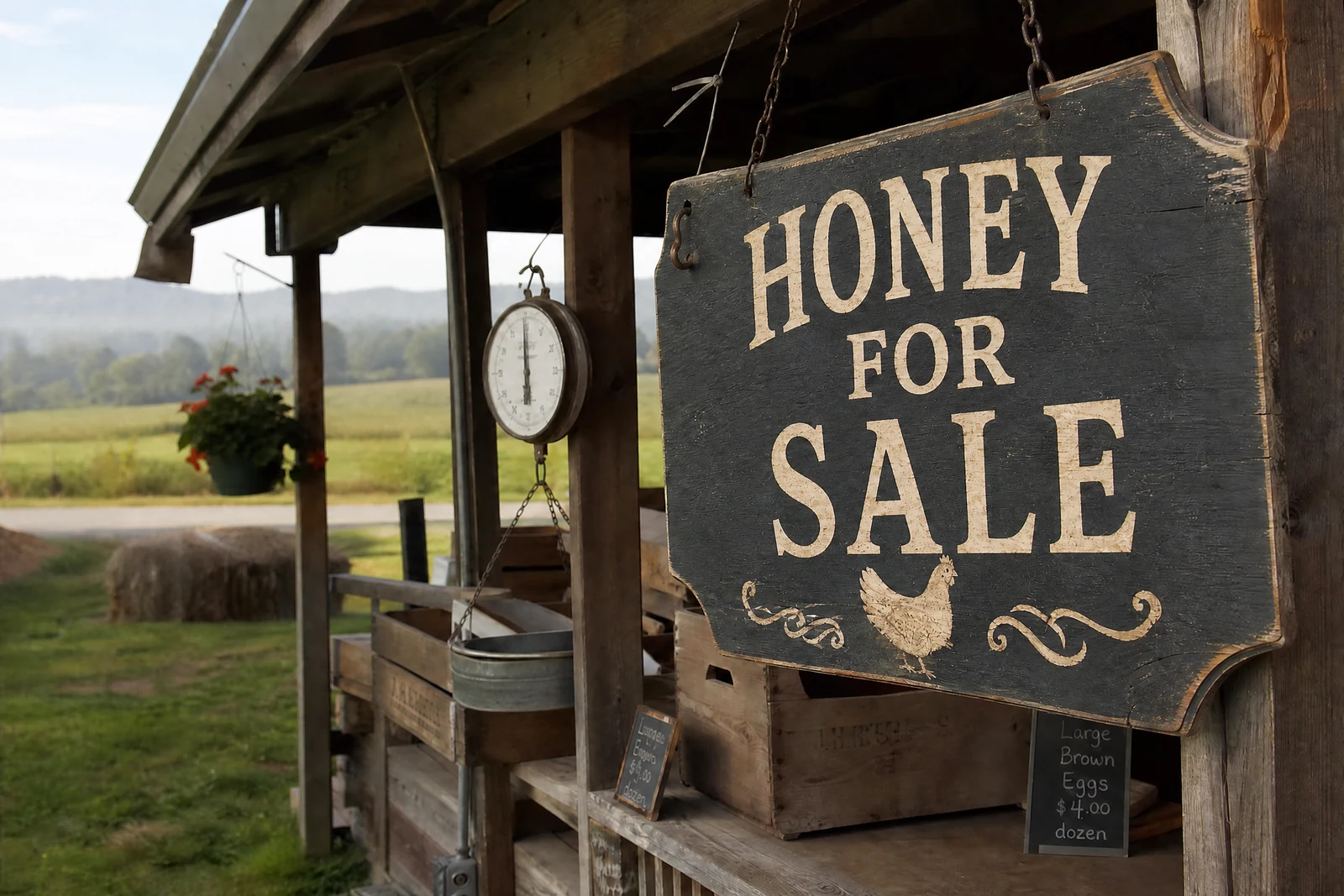
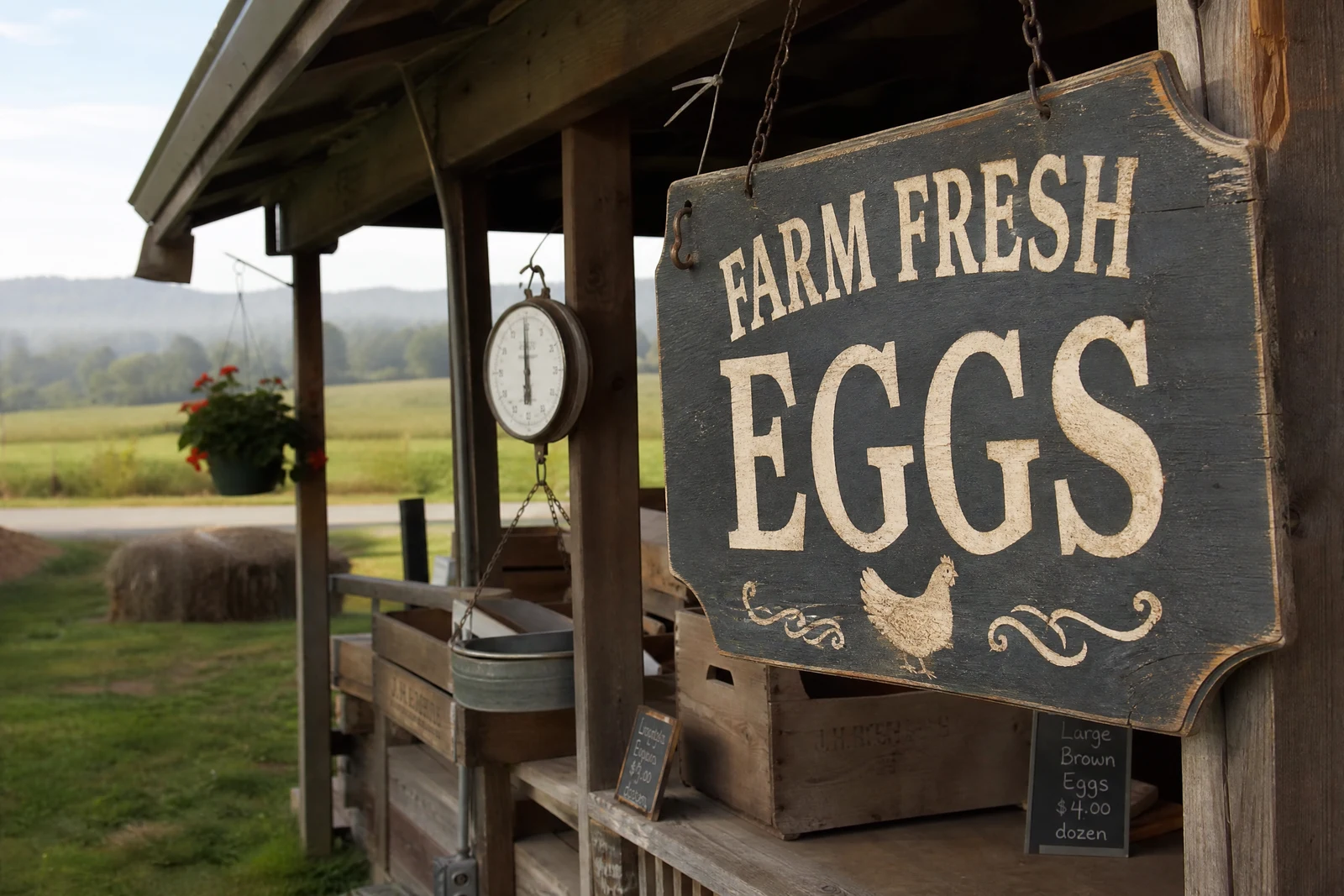
Genuine results from the tool — slide to see the difference.
Marketing images date themselves: the sale percentage changes, the event year rolls over, the campaign needs the same shot in three languages — and a typo surfaces after the shoot wrapped. Reshooting for a wording change is money spent on words, and pasting flat type over a photo fools no one, because photographed text carries the scene: perspective from the camera angle, surface texture, the same sunlight as the wall it hangs on.
Tell the tool what the existing text says and what it should say. The AI locates the original, analyzes its typography — letterforms, weight, color, spacing — and its physical situation — surface, perspective, lighting, wear — then removes the old wording and renders the new with all of it matched. Weathered signs stay weathered, neon stays neon, chalk stays chalk.
It updates promo prices without a reshoot, localizes one hero image per market, fixes post-shoot typos, and personalizes images — the banner with the right name, in seconds each. Quote the original exactly, capitalization included, for the cleanest match. Hard boundary: signs, banners, labels, and graphics you have the right to edit — never documents, IDs, or records, and never wording that misstates what you're selling.
Why this tool
- Push the output onward through any other tool
- Standard, Pro and Max quality tiers
- Results land in your creations library
- Blow it up to print resolution or convert it to video
Frequently asked questions
Will the font match?
Letterform style, weight, color, spacing, perspective, and surface lighting are all reproduced. Decorative or hand-painted lettering gets a stylistic rather than glyph-perfect match — usually indistinguishable in context, but check it.
What if the new text is a different length?
Spacing and sizing adjust so the new wording sits naturally in the same area. Keep replacements roughly comparable — one word swapped for a paragraph forces visible size changes.
Several pieces of text in the image?
Quote the exact string to change; distinctive quoting ('OPEN 24 HOURS', not just 'OPEN') prevents ambiguity when similar words appear more than once.
Documents or IDs?
No. This is for creative and marketing imagery you have the right to edit. Doctoring paperwork, identification, or official records to misstate reality is abuse of the tool and not permitted.
Can I try AI Change Text for free?
Yes — every new account starts with 4 free credits, enough to run this tool once at Standard quality. No credit card required.
Related tools