
Background
AI Background Blur
Make the subject impossible to miss
New accounts start with free credits — no card on file needed.
- 1Upload a photo with a clear subject
- 2The AI maps depth and applies lens-style blur behind the subject
- 3Download the shot with its new professional depth
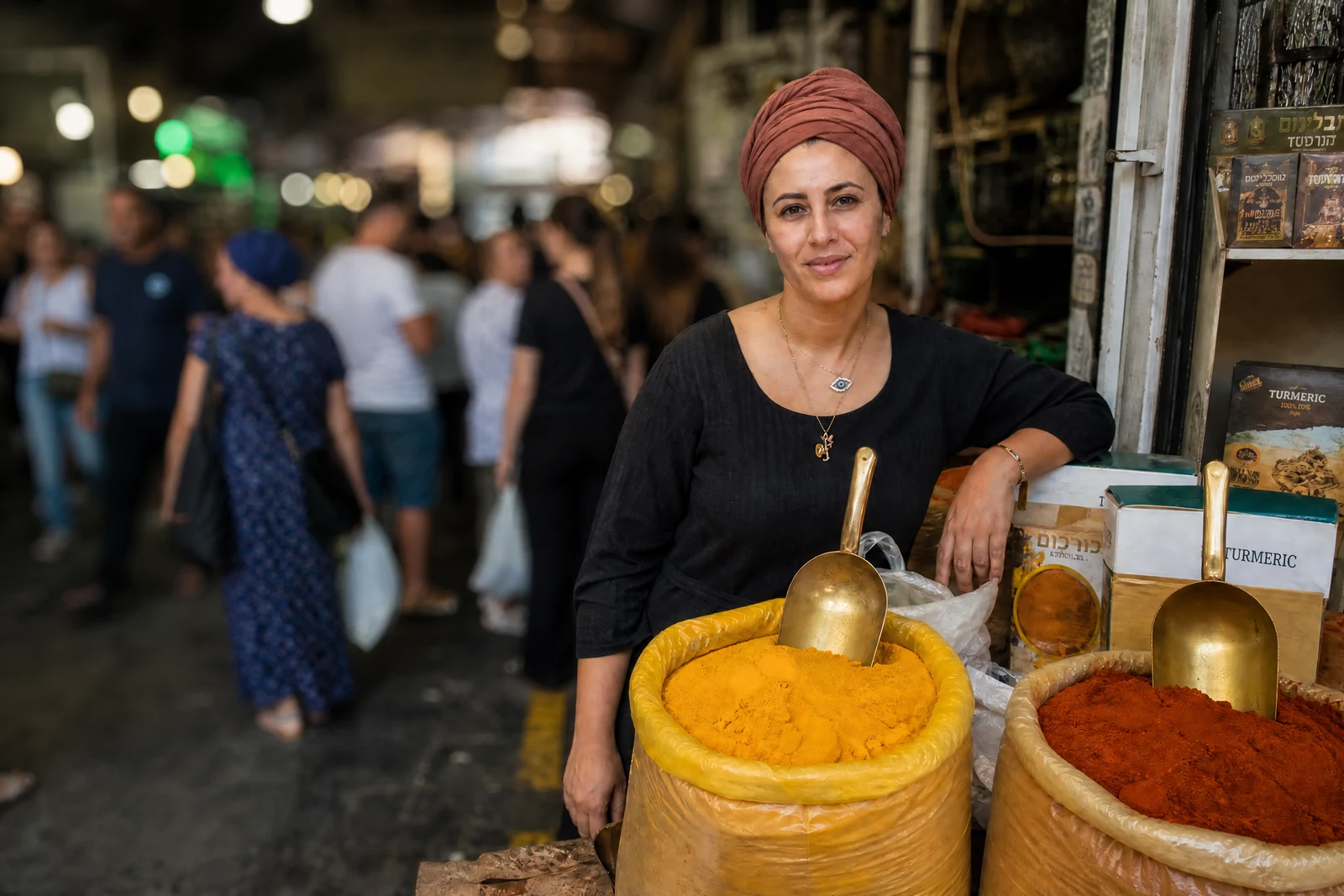

Genuine results from the tool — slide to see the difference.
That creamy background blur in professional photos comes from lenses phones don't have — and it does a commercial job: it points every eye at the subject. A profile photo with soft blur behind it reads 'shot by a pro'; a product against melted-away clutter reads 'established shop'. Same photo, different signal.
The AI maps the depth of your photo, keeps the subject critically sharp, and blurs the background the way real optics do: near objects blur a little, distant ones a lot, and bright highlights bloom into soft bokeh discs instead of smearing. That graduated falloff is what separates convincing depth from a flat filter blur behind a cutout.
Rescue the portrait shot against a messy room, lift a food photo for the menu page, or give a whole batch of profile candidates the same editorial treatment — seconds each, whenever you're working. When the setting adds nothing at all, Remove Background or Change Background go further; blur is for when the scene should stay, quietly.
Why this tool
- Push the output onward through any other tool
- Standard, Pro and Max quality tiers
- Results land in your creations library
- Blow it up to print resolution or convert it to video
Frequently asked questions
What makes this more than a simple blur filter?
Filters blur uniformly, and it shows. This estimates distance per region, keeps the subject sharp, and increases blur with depth — including realistic bokeh on highlights.
Does it work on products, food, and pets?
Yes — anything with a distinct foreground subject. Products and plates benefit most, since the blur removes visual competition without restaging the shot.
Will subject edges stay crisp?
The separation follows fine edges, hair included. Edge quality is what betrays fake blur, so the mask errs toward keeping subject detail sharp against the soft field.
Can I set the blur strength?
The tool applies a portrait-appropriate strength automatically. For a lighter or heavier hand, the free-form AI Editor takes instructions like 'blur the background only slightly'.
Can I try AI Background Blur for free?
Yes — every new account starts with 4 free credits, enough to run this tool once at Standard quality. No credit card required.
Related tools